Java
Node.js Hello World: Install and First Server
· Linet M.
Node.js runs JavaScript on the server side using the V8 engine. It handles many concurrent connections without blocking, which makes it a practical choice for real-time applications and APIs.
Install Node.js
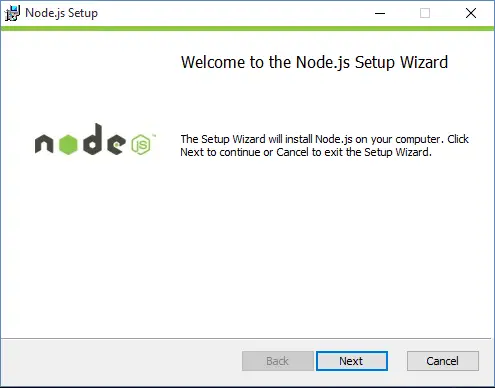
Download the installer from nodejs.org. Run it, accept the defaults, and click through the prompts. Once the installer finishes, open a terminal and confirm the install:
node --versionYou should see a version number like v22.x.x.
Write the HTTP server
Open a text editor and paste the following code:
var http = require('http');

http
  .createServer(function (request, response) {
    response.writeHead(200, { 'Content-Type': 'text/plain' });
    response.end('Hello World!');
  })
  .listen(8081);

console.log('Server running at http://localhost:8081/');
Save the file as helloworld.js.
Run the server
Open a terminal:
- Windows: press
Windows + R, typecmd, press Enter - Linux: press
Alt + F2, typegnome-terminal, press Enter
Then run:
node helloworld.jsOpen a browser and go to http://localhost:8081/. You see the text “Hello World!” in the page.
Add basic HTML output
The server above sends plain text. To send HTML instead, change the Content-Type header and put markup in response.end:
response.writeHead(200, { 'Content-Type': 'text/html' });
response.end('<html><body style="background:#303030"><h1>Hello World!</h1></body></html>');
Restart the server (Ctrl+C, then node helloworld.js again) and reload the browser. The page now renders the heading against a dark background.
Where Node.js is used
Node.js powers the backend of platforms including Microsoft Azure, Yahoo, LinkedIn, and eBay. Once you understand the event loop and the http module, you can build REST APIs, WebSocket servers, and command-line tools with the same language you use in the browser.
For deeper work on JavaScript assignments, our programming assignment help team covers Node.js, Express, and REST API tasks. Related reading: Functional Programming in JavaScript and How React.js Works.
Related articles
-
 Java
JavaBus Ticketing System in Java Assignment
Bus ticketing system in Java, built from the assignment spec. 4 classes, seat grid, invoices, ban set, plus 3 bugs that erase saved data.
Jul 28, 2026
-
 Java
JavaJava Swing Tutorial for Beginners
Learn Java Swing from scratch: build your first window, wire button events, master five layout managers, and assemble a working calculator GUI.
May 24, 2024
-
 Java
JavaAdvanced Java Data Management Techniques
Master advanced Java data management: optimize data structures, handle concurrent access, tune memory, and use serialization and compression in real applications.
May 3, 2024