PHP, Web Development
How to Fix SQL Injection in a PHP Mobile App API
· Linet M.
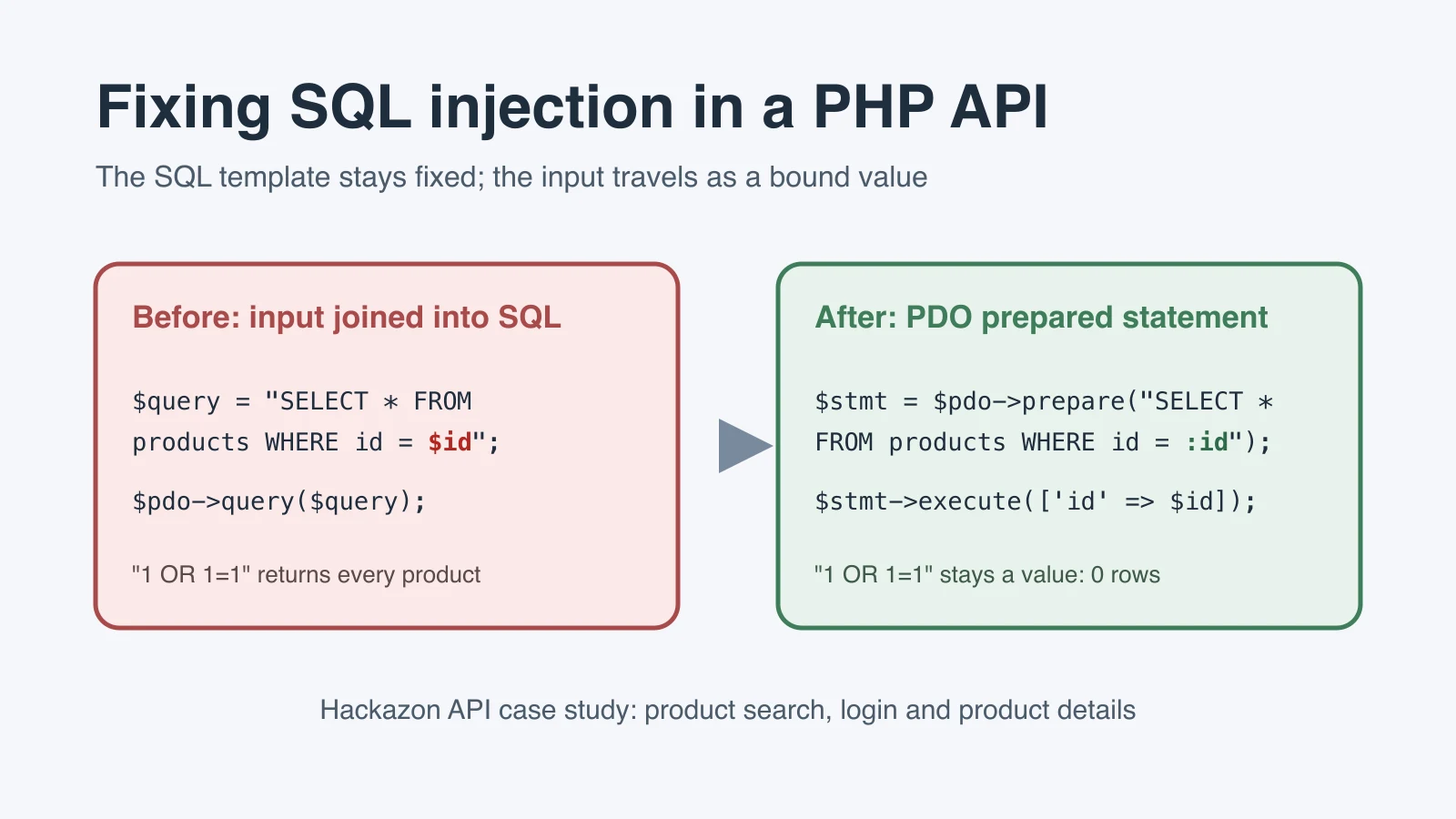
SQL injection often survives in a mobile application for a simple reason: the vulnerable code is not in the Android interface. It is in the server-side API that receives the app’s input and builds a database query. This Hackazon case study follows three such PHP queries in product search, user login and product details. It shows how prepared statements changed the security boundary without changing what each feature was supposed to do.
Scope note: Hackazon is an intentionally vulnerable training application. Security testing should be performed only in a lab you own or have explicit permission to assess.
What the Hackazon capstone required
The assignment required a repair-and-retest workflow, not a general essay about SQL injection. Three SQL injection findings from an earlier mobile application assessment had to be traced to their server-side PHP queries, corrected in the codebase and tested again. The final report also had to place the vulnerable and corrected snippets side by side, explain the security issue, and recommend a practical way to find similar defects elsewhere in the application.
That structure matters. A secure-coding submission is stronger when it answers four separate questions:
- Where did untrusted input enter the query?
- What exact code change separated the input from SQL syntax?
- Did the intended feature still work after the change?
- What evidence supports the claim that the tested injection path was removed?
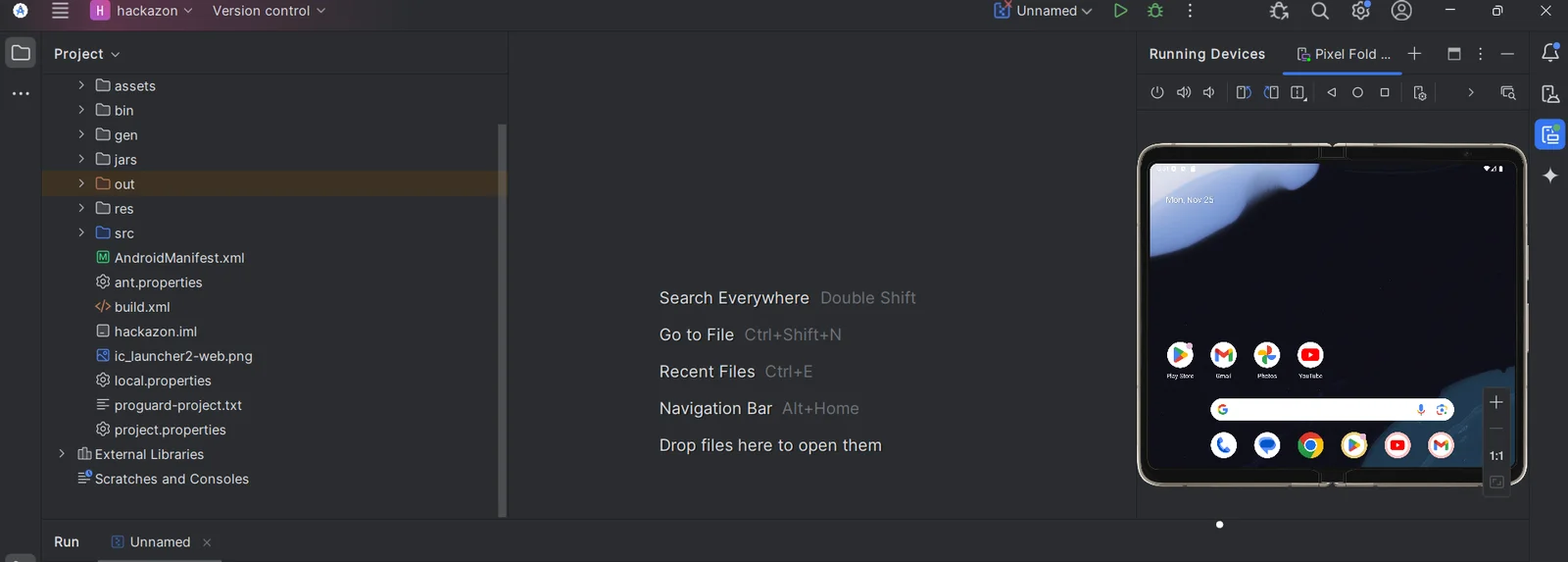
The supplied solution addressed the three endpoints with PHP Data Objects (PDO) prepared statements and named parameters. The testing environment included the Hackazon project in a virtualized lab, an Android emulator, Burp Suite as the interception proxy and RIPS for source-oriented checks.
Why the PHP queries were vulnerable
The MITRE CWE-89 definition describes SQL injection as improper neutralization of special elements in an SQL command. In everyday terms, the program fails to keep user-supplied data separate from the query’s instructions.
Consider a search value typed into the mobile app. The text is data. It may contain a product name, part of a word or even nothing at all. If PHP joins that text directly into an SQL string, however, the database parser receives one combined command. It has no reliable way to know which characters the developer intended as fixed SQL and which characters arrived from the user.
This is the recurring unsafe pattern:
$query = "SELECT ... WHERE column = '$input'";Escaping a few characters or filtering a short list of suspicious strings does not repair the design. Attack syntax has many representations, and legitimate data can contain punctuation too. The primary repair is structural: write the SQL statement with placeholders, then bind the changing values separately. The OWASP SQL Injection Prevention Cheat Sheet recommends prepared statements with parameterized queries as a primary defense for this reason.
How the test environment fit together
The tools in this case study served different purposes. Treating them as interchangeable would weaken the report.
| Component | Role in the case study | What it can establish |
|---|---|---|
| Hackazon PHP API | Server-side code under repair | The exact query construction and data flow |
| Android emulator | Mobile client in the lab | Whether the application can exercise the affected feature |
| Burp Suite Proxy | Interception point between app and API | The request and response observed during dynamic testing |
| RIPS | Source-oriented inspection/search | Whether selected source patterns remain in the scanned files |
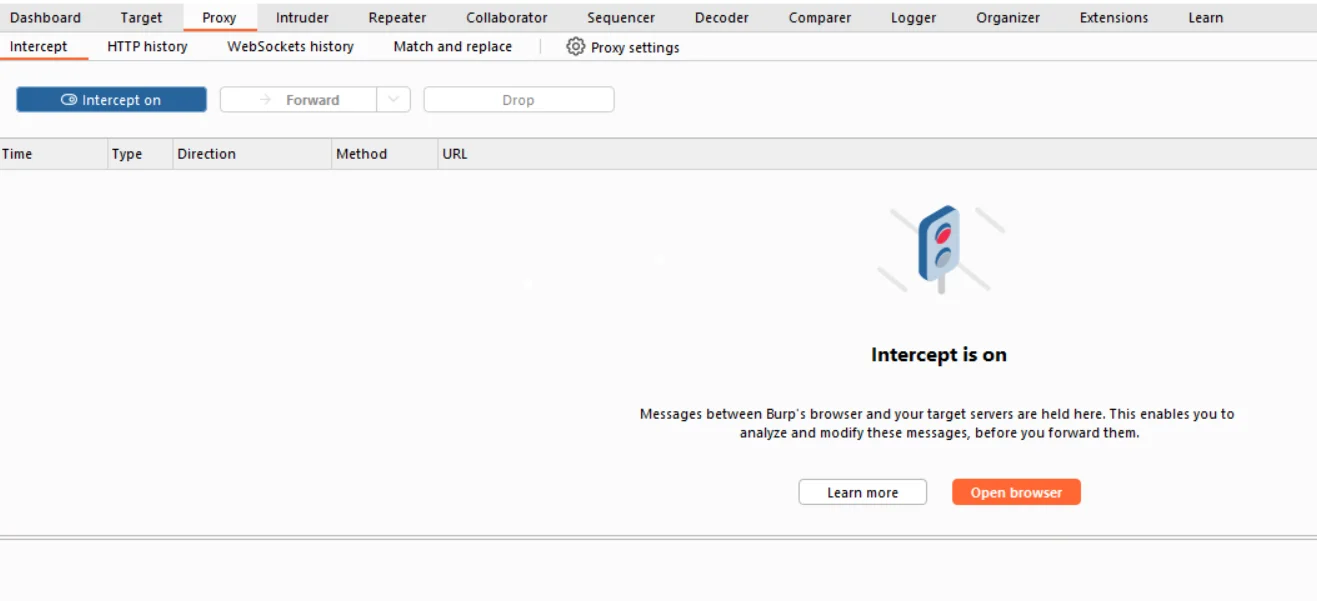
Burp Proxy sat between the emulator and the application API. That position is useful because it exposes the HTTP exchange that the mobile interface normally hides. A tester can preserve a normal request, change one input in an authorized lab and compare the response after the patch.
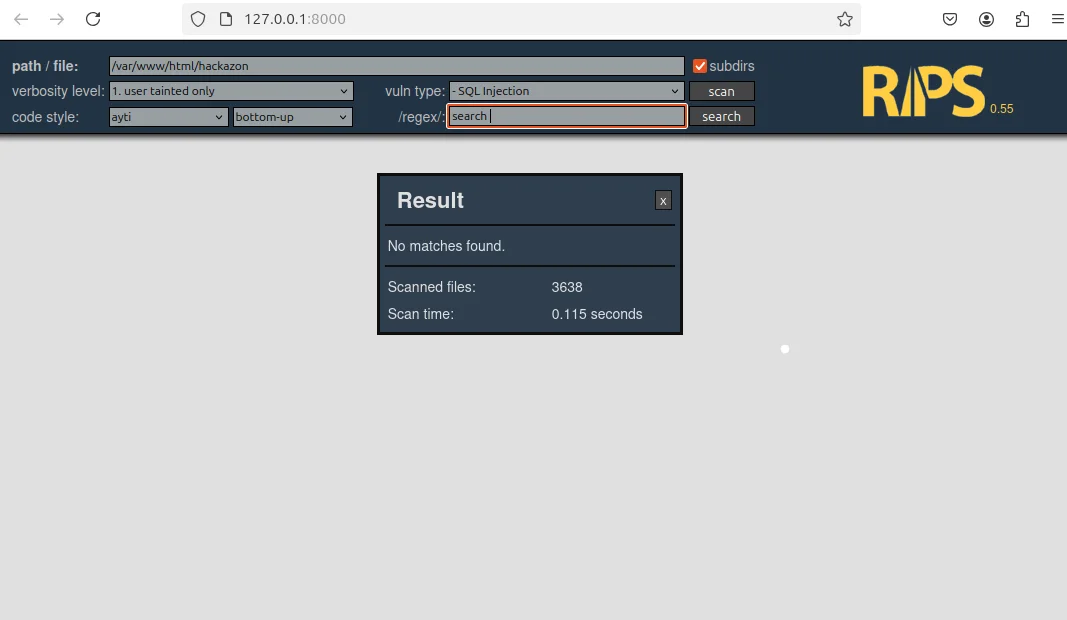
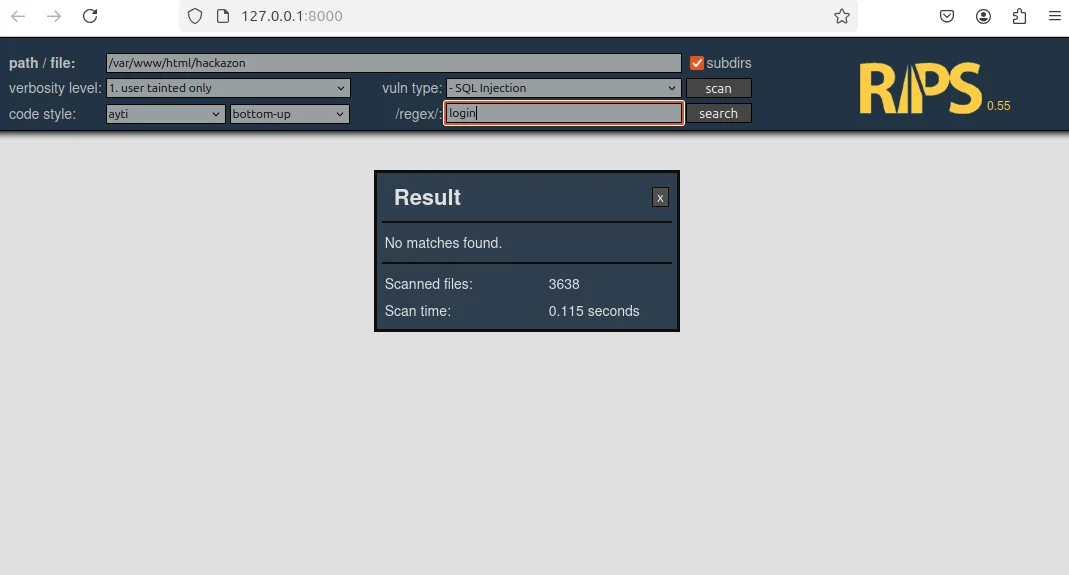
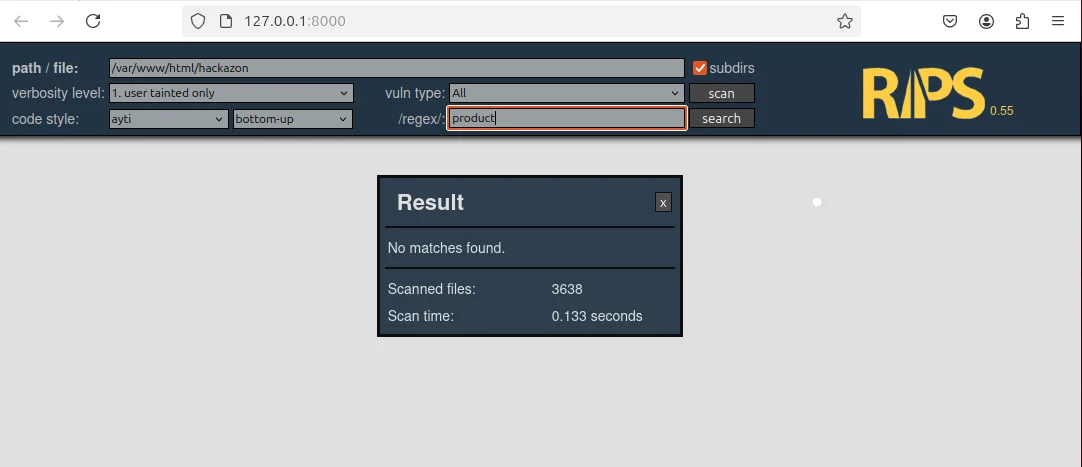
RIPS examined the code from another direction. Its screenshots in the supplied report show searches for the relevant query patterns returning no matches across 3,638 scanned files. That is useful static corroboration, but it is not the same as replaying an API request and recording the server’s behavior. A careful report says what each artifact proves instead of treating every screenshot as complete proof.
Fix 1: Parameterize the product search query
The product search endpoint accepted both a category and a search term. Its vulnerable version placed both values directly into the SQL text:
$query = "SELECT * FROM products WHERE category = '$category' AND name LIKE '%$search%'";
$result = $pdo->query($query);
The danger is visible at both interpolation points. A value supplied for $category becomes part of the quoted SQL expression, while $search becomes part of the LIKE pattern. The query is readable, but readability does not create a boundary between command and data.
The corrected version uses named placeholders:
$stmt = $pdo->prepare(
    "SELECT * FROM products WHERE category = :category AND name LIKE :search"
);
$stmt->execute([
    'category' => $category,
    'search' => "%$search%"
]);
$results = $stmt->fetchAll();
There are two details worth noticing.
First, the SQL template is prepared before the input values are supplied. :category and :search mark value positions; the database driver handles those values as parameters rather than allowing them to rewrite the SQL structure. This follows the contract documented in the PHP manual for PDO::prepare.
Second, the wildcard characters needed for a contains-style search are placed in the parameter value: "%$search%". They are not written around the placeholder in a way that requires string concatenation inside the SQL command. The feature still searches for a term within a product name, but the changing text remains a value.
This distinction is useful in many PHP assignments. Prepared statements protect values. They do not allow a placeholder to stand in for arbitrary SQL keywords, table names or sort directions. If an interface lets a user select a sort column, for example, the safe design is usually an allowlist that maps a small set of accepted choices to fixed SQL fragments.
Fix 2: Parameterize the login lookup
The vulnerable login query inserted a username and password directly into the statement:
$query = "SELECT * FROM users WHERE username = '$username' AND password = '$password'";
$result = $pdo->query($query);
This pattern is especially serious because a login query sits on an authentication boundary. If input can alter the predicate, the database may evaluate a condition the developer never intended.
The supplied patch changed the query to this:
$stmt = $pdo->prepare(
    "SELECT * FROM users WHERE username = :username AND password = :password"
);
$stmt->execute([
    'username' => $username,
    'password' => $password
]);
$user = $stmt->fetch();
For the SQL injection defect, the important improvement is that both inputs now occupy parameter positions. A username remains a username value; it does not become part of the WHERE clause grammar. The same separation applies to the password value.
Prepared statements solve the query-construction problem, but a production authentication system has another responsibility: passwords should not be stored or compared as plaintext. PHP applications normally store a one-way hash produced by password_hash() and verify a submitted password with password_verify(). That is a separate control from SQL injection prevention. Calling out both controls demonstrates a better understanding than treating “secure login” as a single checkbox.
The best design would therefore retrieve the account by a parameterized username query and then verify the submitted password against the stored hash in application code. The case-study patch addresses the injection boundary shown in the original query; password hashing is the logical defense-in-depth improvement.
Fix 3: Bind the product ID
The product details query was shorter, but it had the same structural defect:
$query = "SELECT * FROM products WHERE id = $id";
$result = $pdo->query($query);
Developers sometimes assume an identifier is safe because it is expected to be a number. That expectation is not a security control. HTTP parameters arrive as untrusted input, and a client can send a value that the normal mobile interface would never produce.
The corrected query binds the identifier:
$stmt = $pdo->prepare(
    "SELECT * FROM products WHERE id = :id"
);
$stmt->execute(['id' => $id]);
$product = $stmt->fetch();
Parameterization is the essential repair. Type validation should still happen at the application boundary because it improves correctness and produces clearer errors. If product IDs are positive integers, the API can reject an empty, negative or non-numeric value before querying the database. That validation helps the application enforce its own rules; it should supplement the prepared statement, not replace it.
When the database schema and driver allow it, binding an integer explicitly is another useful refinement:
$stmt = $pdo->prepare(
    "SELECT * FROM products WHERE id = :id"
);
$stmt->bindValue(':id', $id, PDO::PARAM_INT);
$stmt->execute();
$product = $stmt->fetch();
This typed variant is a general hardening example. It is not presented as an additional change shown in the supplied solution. The documented solution used the compact execute(['id' => $id]) form above.
What changed across all three fixes?
The three patches look slightly different because the features accept different values, but the repair strategy is consistent.
| Feature | Unsafe boundary | Prepared statement boundary | Important follow-up |
|---|---|---|---|
| Product search | Category and search text interpolated into SQL | :category and :search are bound as values | Keep % wildcards in the parameter value; allowlist any dynamic sort field |
| User login | Username and password interpolated into SQL | :username and :password are bound as values | Store password hashes and verify outside the SQL predicate |
| Product details | ID appended directly to SQL | :id is bound as a value | Validate the ID as a positive integer and return a controlled error |
The code change is small. The SQL structure is now fixed, and external input travels through a separate parameter channel. The result is easier to review as well as safer to execute. A reviewer can identify every input boundary by looking at the placeholders and the values supplied to execute().
What the evidence shows, and where its limits are
Security reports lose credibility when they claim more than their screenshots demonstrate. The artifacts in this case study support two specific observations.
The three RIPS result screens show “No matches found” for the source patterns used to check the search, login and product-details queries. Each screen reports 3,638 scanned files. That supports the narrower statement that those searched patterns were not found in that scan.
The Burp Suite screenshot shows Proxy Intercept enabled in the lab. It demonstrates that the interception tool was configured as part of the dynamic-testing environment.
Neither fact, by itself, proves that every SQL injection path in the application is gone. A text or regular-expression search can miss semantically equivalent code, indirect query construction or a different database access layer. A proxy setup screenshot does not show the request payload, HTTP status, response body or application state after a test.
For a high-quality final submission, pair static and dynamic evidence:
- Record the vulnerable request and its relevant response in the authorized lab.
- Apply the patch and restart or redeploy the correct API version.
- Send a normal request to confirm the feature still works.
- Replay controlled unexpected inputs against the same parameter.
- Compare the status code, response body and server-side behavior.
- Capture the request-and-response pair, not only the tool interface.
- Run a source scan or code search to find similar concatenation patterns elsewhere.
This produces a defensible chain: code evidence explains the repair, functional evidence shows the feature survived, dynamic evidence exercises the original boundary, and static inspection looks for recurrence.
How to validate the patched API with Burp without overclaiming
Dynamic verification starts with a baseline. Open the affected feature in the emulator, allow its request to pass through Burp and save the normal response. The baseline tells you what “working” looks like for that endpoint: perhaps a product list, a login rejection or one product record.
Next, repeat the request with controlled values in the parameter under review. In an intentionally vulnerable lab, a benign tautology-style test string may be appropriate, but the objective is not to damage data or demonstrate the most destructive payload. The objective is to determine whether input changes the query’s structure. Do not run security tests against a production service or any system without written permission.
After parameterization, unexpected punctuation should remain part of the value. It may produce no results or trigger input validation, but it should not broaden a query, bypass authentication or expose a database error. The response must also be interpreted in context. An HTTP 200 status does not automatically mean the test succeeded or failed; many APIs return 200 with an error object. Read the body and confirm the application state.
For each endpoint, preserve a compact evidence set:
- the endpoint or feature under test;
- the parameter changed;
- a normal request and expected response;
- the controlled test value;
- the patched response and observed application behavior;
- the code revision or build tested; and
- the date and lab environment.
These details make the work reproducible, and they let a marker tell a genuine retest from a screenshot pasted in after the code was changed.
Prepared statements are the main defense, not the whole defense
Prepared statements close the specific boundary exploited by SQL injection, but a secure API needs several reinforcing controls.
Validate values according to the feature
Validation should express business rules. A product ID can be constrained to a positive integer. A category can be checked against known category identifiers. A search term can have a reasonable length limit. A username can be normalized and restricted according to the account policy.
This is different from trying to identify every “bad” SQL string. Business-rule validation defines what the application accepts. Parameterization ensures accepted or rejected values cannot become SQL instructions.
Give the database account only the permissions it needs
If the API only reads products, its database identity should not be able to alter tables or administer the database. Some applications need write access for orders or user profiles, but those permissions should still be limited to the required operations and schemas. Least privilege reduces the impact of a defect that escapes other controls.
Return safe errors and keep useful server logs
A mobile client should receive a controlled error message rather than a raw SQL exception containing table names, query fragments or stack details. The server log can retain the diagnostic context developers need, provided sensitive values are handled carefully. This separates user-facing behavior from operational evidence.
Test the data-access layer continuously
A one-time scan is helpful; regression tests are better. Add tests for ordinary values, boundary values and unexpected punctuation at every database-facing input. Review new SQL for string interpolation during code review. If the project grows, centralize data access so teams are not inventing a new query pattern in every controller.
Treat a WAF as a monitoring layer, not the repair
A web application firewall may detect or block known patterns and can improve visibility, but it operates outside the vulnerable query construction. Encoding changes and novel inputs can bypass signatures. Fix the code first, then use monitoring and a WAF as additional layers.
A practical codebase-wide remediation plan
Fixing three reported queries is necessary, but it should trigger a broader search. The same programming habit may appear in other endpoints.
Start by inventorying every place the PHP application communicates with the database. Search for query(), exec(), raw SQL strings, concatenation operators and variables embedded inside SQL. Static-analysis results can guide this review, but a developer still has to follow the data from the request to the query.
Classify each finding:
- Value substitution: Replace the dynamic value with a placeholder and bind it.
- Dynamic identifiers: Map an accepted option to a fixed table, column or sort fragment through an allowlist.
- Repeated query logic: Move it into a reviewed repository or data-access function.
- Authentication query: Parameterize the account lookup and use password hashing correctly.
- Error leakage: Replace raw database output with a controlled API response and server-side logging.
Then retest by feature rather than by file. A single endpoint may call more than one query, and a shared query may serve several mobile screens. This feature-to-query map becomes valuable evidence for the report and a useful checklist for future maintenance.
Students working through a similar PHP security task may also benefit from focused PHP assignment help when they need to understand PDO, server-side data flow or a failing prepared statement. If the difficulty is configuring the app and emulator, the Android assignment help page covers that side of the project. For schema, SQL and query-design questions, see database assignment help.
Common questions about this kind of project
Does a mobile app need SQL injection protection if the SQL is on the server?
Yes. The mobile app is a client of the API. An attacker is not limited to the buttons and validation in the Android interface; HTTP requests can be created or changed independently. The server must treat every incoming value as untrusted.
Is replacing query() with prepare() enough?
Only if the changing values are represented by placeholders and supplied separately. Calling prepare() on a string that already contains interpolated user input preserves the original defect.
Why is LIKE :search used instead of LIKE '%:search%'?
The placeholder represents the complete value. For a contains search, the code constructs the value as "%$search%" and binds it to :search. This keeps the changing value separate from the SQL template.
Should numeric IDs still be parameterized?
Yes. A value being expected to be numeric does not make the HTTP input trustworthy. Bind the ID and also validate that it meets the application’s numeric rules.
Do RIPS “No matches found” screens prove there is no SQL injection?
No. They show that the searched patterns were not found in the files scanned. They are useful supporting evidence, but a complete conclusion also requires code review and dynamic testing of the affected requests.
What should a Burp screenshot include for a final report?
Capture the request and response relevant to the test, including the parameter, status and meaningful response content. Also record the patched build or revision and demonstrate that normal feature behavior still works.
Does parameterization remove the need for input validation?
No. Parameterization protects the SQL structure. Validation enforces application rules such as type, length, allowed range and accepted category. The controls solve different problems and work well together.
Is the login query fully production-ready after parameterization?
It addresses the injection pattern shown in the original query. A production login should additionally store passwords as strong one-way hashes, retrieve the account with a parameterized query and verify the submitted password with the language’s password-verification function.
The patch is small; the security boundary is not
Across all three Hackazon endpoints, the visible repair is only a few lines: prepare a fixed SQL template, bind the values and fetch the result. The deeper lesson is that secure code depends on a clear boundary between instructions and data.
A strong student submission makes that boundary visible in the code and proves the result with appropriately scoped evidence. Static scans can show that selected unsafe patterns disappeared, and Burp can record how the patched API behaves. Functional checks confirm that search, login and product lookup still do their jobs. Put those pieces together and the report becomes an explanation another developer can verify.
Sources and further reading
Related articles
-
 PHP
PHP7 Popular PHP Frameworks Compared
Compare 7 PHP frameworks (Laravel, CodeIgniter, CakePHP, Zend, Yii, Symfony, Phalcon) on architecture, performance, and best use cases.
Aug 26, 2016
-
 PHP
PHP13 PHP Tips That Make Development Faster
13 PHP tips covering error reporting, PDO, cURL, password hashing, and more to help you write cleaner, faster PHP code.
Oct 8, 2016
-
 Featured
Programming Project Ideas to Build and Earn
10 programming project ideas for students and developers: web apps, social networks, computer vision, robotics, and open source contribution.
Oct 15, 2014