C/C++
C++ Programming: A Complete Introduction

C++ is a compiled, statically typed language that Bjarne Stroustrup created at Bell Labs in 1979 to add classes and object-oriented programming to C without giving up its speed. It runs the systems that cannot afford to be slow: operating systems, game engines, databases, browsers, and trading platforms. This guide walks through how C++ compiles, its core data types, functions, and the four pillars of object-oriented programming, with code you can compile and run.
If a deadline is closer than your grasp of templates or pointers, a working developer can take the assignment off your plate through our C++ assignment help service. The rest of this post teaches you the language itself.
What C++ is and why it still matters
C++ is a general-purpose language that compiles source code straight to machine code, which is why it runs faster than interpreted languages like Python or JavaScript. It gives you control over memory, hardware, and performance that higher-level languages hide on purpose. That control is the reason it has survived four decades of newer languages.
The language sits in a useful middle ground. You can write low-level code that pokes at individual bytes, or high-level code built from classes and templates, in the same file. Four traits keep C++ in production:
- Speed. Compiled output runs near the metal, with no interpreter or just-in-time warm-up between your code and the processor.
- Memory control. You decide when memory is allocated and freed, which matters in embedded firmware and real-time systems.
- Portability. The same source compiles for Windows, Linux, and macOS once a compiler targets each platform.
- Multi-paradigm design. Procedural, object-oriented, and generic programming coexist, so you pick the style that fits the problem.
Where C++ shows up: the Windows and macOS kernels, Unreal Engine and most AAA game engines, Chrome and Firefox, MySQL and MongoDB, and the compiled core of machine learning frameworks such as TensorFlow.
A short history of C++
Stroustrup began the project in 1979 as “C with Classes,” adding the class construct to C so large programs could group data and behavior into reusable units. The name changed to C++ in 1983, where ++ is C’s increment operator, a pun meaning one step beyond C. The first commercial release shipped in 1985.
Standardization turned a dialect into a stable target. The ISO committee published the first standard in 1998 (C++98), then a run of major revisions reshaped how the language is written:
| Standard | Year | Headline additions |
|---|---|---|
| C++98 / C++03 | 1998 / 2003 | Templates, the STL, exceptions |
| C++11 | 2011 | auto, lambdas, smart pointers, move semantics, nullptr |
| C++14 / C++17 | 2014 / 2017 | Generic lambdas, structured bindings, std::optional |
| C++20 | 2020 | Concepts, ranges, modules, coroutines |
| C++23 | 2023 | std::expected, deducing this, library refinements |
C++11 is the line most courses treat as the start of “modern C++.” Smart pointers and move semantics from that release removed whole categories of memory bugs that plagued earlier code.
How a C++ program compiles and runs
A C++ program turns into an executable through four stages, and understanding them explains most of the errors a beginner hits. The compiler reads your source, checks every type, and produces machine code before the program ever runs, which is what “statically typed and compiled” means in practice.
The stages run in order:
- Preprocessing. Lines starting with
#, such as#include <iostream>, are expanded and macros are substituted. - Compilation. Each
.cppfile is translated to assembly, then to an object file. Type mismatches and syntax errors stop here. - Linking. The linker stitches object files and libraries into one executable, resolving every function call to an address.
- Execution. The operating system loads the executable and runs
main, the entry point of every C++ program.
Here is the smallest complete program, the one every C++ course opens with:
#include <iostream>

int main() {
    std::cout << "Hello, World!" << std::endl;
    return 0;
}
#include <iostream> pulls in the input/output stream library. main returns an int that reports the exit status to the operating system, where 0 means success. std::cout is the standard output stream, << feeds text into it, and std::endl writes a newline and flushes the buffer. Compile it with g++ hello.cpp -o hello and run ./hello.
C++ data types you use every day
C++ stores values in typed slots, and the type tells the compiler how many bytes to reserve and how to interpret them. Types split into three groups: fundamental types built into the language, derived types built from those, and user-defined types you create with classes and enums.
Fundamental types
These hold single, primitive values. The exact size depends on the platform, but the common widths on a 64-bit desktop are stable enough to plan around.
| Type | Stores | Typical size | Example |
|---|---|---|---|
int | Whole numbers | 4 bytes | int score = 95; |
double | Decimal numbers, double precision | 8 bytes | double gpa = 3.85; |
float | Decimal numbers, single precision | 4 bytes | float rate = 0.5f; |
char | A single character | 1 byte | char grade = 'A'; |
bool | true or false | 1 byte | bool passed = true; |
#include <iostream>

int main() {
    int score = 95;
    double gpa = 3.85;
    char grade = 'A';
    bool passed = true;

    std::cout << "Score: " << score << ", GPA: " << gpa << '\n';
    std::cout << "Grade: " << grade << ", Passed: " << passed << '\n';
    return 0;
}
Derived types
Derived types combine fundamental types into something larger. The four you reach for first are arrays, pointers, references, and the standard std::string.
- Arrays hold a fixed-size sequence of one type:
int marks[5] = {88, 92, 79, 95, 84};. - Pointers store the memory address of another value:
int* ptr = &score;reads the address ofscore. - References create a second name for an existing value:
int& alias = score;letsaliasandscorerefer to the same storage. std::stringholds text and grows as needed, unlike the fixed C-style character array:std::string name = "Ada";.
User-defined types
You build these yourself to model a problem in its own vocabulary. A class bundles data and behavior, an enum names a set of constants, and a struct groups related fields.
enum class Result { Pass, Fail };  // named constants instead of magic numbers

struct Point {                     // groups two related coordinates
    double x;
    double y;
};
Picking the right type is the first design decision in any program. An int cannot hold 3.85, and a double wastes space and precision when you only need a flag, so match the type to the data.
Functions in C++
A function is a named block of code that runs when you call it, which lets you write logic once and reuse it everywhere. C++ functions take typed parameters, return a typed value, and let the compiler check both at the call site. They split into two groups: library functions the standard library provides, and user-defined functions you write.
Library functions ship ready to use through headers. Include <cmath> for std::pow, std::sqrt, and std::abs; include <algorithm> for std::sort and std::max; include <iostream> for stream input and output. You call them without writing the implementation.
You define your own functions with this shape:
return_type function_name(parameter_list) {
    // function body
    return value;
}
The return_type is the type of value the function sends back, function_name is how you call it, and parameter_list is the typed input. This function adds two integers and returns the sum:
#include <iostream>

int addNumbers(int a, int b) {
    int sum = a + b;
    return sum;
}

int main() {
    int result = addNumbers(5, 10);
    std::cout << "The sum is: " << result << '\n';  // prints: The sum is: 15
    return 0;
}
When you call addNumbers(5, 10), control jumps into the function body, runs the addition, and returns 15 to main. A function with return_type of void runs its work and returns nothing. Functions keep programs short, testable, and free of repeated code, and they are the unit you reuse across files and projects.
Function overloading
C++ lets two functions share a name as long as their parameter lists differ, which is called overloading. The compiler picks the right version from the arguments you pass. This is one of two routes to polymorphism, covered below.
int multiply(int a, int b) { return a * b; }
double multiply(double a, double b) { return a * b; }

multiply(4, 5);      // calls the int version, returns 20
multiply(2.5, 4.0);  // calls the double version, returns 10.0
Object-oriented programming in C++
Object-oriented programming organizes code around objects that bundle data with the functions that act on that data. A class is the blueprint, and an object is one instance built from it. This is the feature C++ added to C, and it scales code from a single file to a system of thousands. For a deeper treatment of these ideas, read object-oriented programming in C++ demystified.
Start with a class that models a vehicle. It declares two data members and two methods:
#include <string>

class Vehicle {
public:
    int speed;
    std::string make;
    void accelerate();
    void brake();
};
Create an object from the blueprint and set its data:
Vehicle myCar;
myCar.speed = 0;
myCar.make = "Toyota";
myCar is one Vehicle object with its own speed and make. Every object built from Vehicle carries its own copy of that data. C++ rests object-oriented design on four principles.
Encapsulation
Encapsulation bundles data and the methods that act on it inside one class, then hides the data behind a public interface. You mark internal data private so outside code reaches it only through methods you choose to expose, which stops one part of a program from corrupting another’s state.
class BankAccount {
private:
    double balance = 0;          // hidden from outside code

public:
    void deposit(double amount) { // the only sanctioned way in
        if (amount > 0) balance += amount;
    }
    double getBalance() const { return balance; }
};
Nothing outside BankAccount can set balance to a negative number, because the only path in runs the deposit check first.
Inheritance
Inheritance lets a new class reuse the members of an existing one, then add its own. The existing class is the base, the new one is the derived class, and the derived class inherits everything public from the base.
class Car : public Vehicle {   // Car inherits speed, make, accelerate, brake
public:
    int numDoors;              // Car adds its own data
    void openDoor();
    void closeDoor();          // and its own behavior
};
Car gets speed, make, accelerate, and brake from Vehicle for free, then adds numDoors, openDoor, and closeDoor. You write the shared behavior once in Vehicle and specialize it in each derived class.
Polymorphism
Polymorphism lets one interface drive different behavior. C++ delivers it two ways: at compile time through function overloading (shown above), and at run time through virtual functions. A virtual function declared in a base class can be replaced in a derived class, and a base-class pointer calls the derived version.
#include <iostream>

class Shape {
public:
    virtual double area() const { return 0; }  // overridable
};

class Circle : public Shape {
    double radius;
public:
    Circle(double r) : radius(r) {}
    double area() const override { return 3.14159 * radius * radius; }
};
Call area() through a Shape* that points at a Circle, and C++ runs Circle::area(). One call site, the correct behavior chosen at run time.
Abstraction
Abstraction exposes only the behavior a caller needs and hides the rest. A driver presses the accelerator without knowing the engine internals, and a class works the same way: the public methods are the controls, the private members are the engine. Abstraction lets you change the implementation without breaking any code that uses the class.
The Standard Template Library
The Standard Template Library, or STL, is the part of the C++ standard library that ships tested containers, iterators, and algorithms so you stop writing them by hand. It is the single biggest reason modern C++ reads cleaner than the C-style code in older textbooks.
The STL has three parts that work together:
- Containers store data:
std::vector(a dynamic array),std::mapandstd::unordered_map(key-value lookup),std::set, andstd::list. - Iterators are the cursors that walk a container, the glue between containers and algorithms.
- Algorithms operate on any container through iterators:
std::sort,std::find,std::count, andstd::accumulate.
The std::vector replaces the raw array in most code, because it grows on demand and tracks its own size:
#include <iostream>
#include <vector>
#include <algorithm>

int main() {
    std::vector<int> scores = {88, 92, 79, 95, 84};
    scores.push_back(100);                 // grows automatically
    std::sort(scores.begin(), scores.end());

    for (int s : scores) {
        std::cout << s << ' ';             // prints sorted scores
    }
    return 0;
}
That sort took one line and no manual memory management. For a full tour of the most-used container, read our guide to vectors in C++.
Practices that separate beginner code from production code
Modern C++ rewards a handful of habits that beginners skip and senior developers never do. These habits prevent the memory bugs and crashes that gave older C++ its hard reputation.
- Prefer STL containers over raw arrays and pointers. A
std::vectororstd::stringtracks its own memory, so you avoid buffer overruns and leaks. - Use smart pointers, not raw
newanddelete.std::unique_ptrandstd::shared_ptrfree memory automatically when they go out of scope. - Initialize variables when you declare them. An uninitialized
intholds garbage, and reading it is undefined behavior. - Pass large objects by
constreference.void print(const std::string& s)avoids copying the whole string on every call. - Mark methods
constwhen they do not change the object. It documents intent and lets the compiler catch mistakes.
These map to the conventions covered in our guide to C++ best practices, which goes further into naming, header hygiene, and the rule of zero.
A complete first program
Putting the pieces together, here is a small program that combines a class, encapsulation, a std::vector, and a function into one runnable file:
#include <iostream>
#include <vector>
#include <string>

class Student {
private:
    std::string name;
    std::vector<int> grades;

public:
    Student(const std::string& n) : name(n) {}

    void addGrade(int g) { grades.push_back(g); }

    double average() const {
        if (grades.empty()) return 0;
        int total = 0;
        for (int g : grades) total += g;
        return static_cast<double>(total) / grades.size();
    }

    std::string getName() const { return name; }
};

int main() {
    Student ada("Ada");
    ada.addGrade(90);
    ada.addGrade(85);
    ada.addGrade(95);

    std::cout << ada.getName() << " average: " << ada.average() << '\n';
    return 0;
}
This program reads cleanly because each piece does one job: the class hides its data, the vector manages its own memory, and the average method returns a result without touching anything outside the object. That is the shape most C++ coursework expects.
Frequently asked questions
Is C++ hard to learn for beginners?
C++ is harder than Python or JavaScript because it exposes memory management, pointers, and a compile step that catches type errors before the program runs. The payoff is direct control over performance and hardware. Most students reach a working class, a loop, and a vector inside the first two weeks. Pointers and manual memory take longer, which is why modern C++ leans on smart pointers and standard containers instead of raw new and delete.
What is the difference between C and C++?
C++ started as C with Classes, so it keeps C’s syntax, speed, and low-level memory access, then adds object-oriented programming, templates, function overloading, references, and the STL. C is procedural and minimal. C++ supports procedural, object-oriented, and generic styles in one language. Most valid C programs compile under a C++ compiler, but the reverse is not true.
What are the four pillars of object-oriented programming in C++?
Encapsulation bundles data and the methods that act on it inside a class and hides the internals behind a public interface. Inheritance lets a derived class reuse the members of a base class. Polymorphism lets one interface call the correct method at run time through virtual functions, or at compile time through overloading. Abstraction exposes only the behavior a caller needs and hides the implementation.
Should I use printf or cout in C++?
Use std::cout for idiomatic C++. cout is type-safe, works with the stream operators, and integrates with the Standard Library, while printf is inherited from C and relies on format strings the compiler cannot check. printf still compiles in C++ and runs fast, so legacy and competitive code uses it, but new C++ code reads cleaner with cout and the iostream header.
What can you build with C++?
C++ powers software where speed and control matter: operating systems and device drivers, game engines such as Unreal Engine, browsers including Chrome and Firefox, database engines, high-frequency trading systems, embedded firmware, and machine learning runtimes like TensorFlow’s core. Its compiled output runs close to the hardware, so it stays the default where a few microseconds count.
What is the Standard Template Library in C++?
The STL is the part of the C++ standard library that ships ready-made containers, iterators, and algorithms. Containers such as vector, map, set, and unordered_map store data. Algorithms such as sort, find, and accumulate operate on any container through iterators. Using the STL replaces hand-written loops and manual memory with tested, generic components.
Do I need to learn pointers to write C++?
You need to understand pointers because they explain how arrays, strings, and dynamic memory work under the surface, and most coursework tests them directly. In everyday modern C++ you reach for references, std::vector, and smart pointers such as std::unique_ptr instead of raw pointers, which removes most manual memory bugs. Read pointers to understand the language; use containers and smart pointers to write it.
Where to go next
C++ rewards practice over reading. Write the programs in this post, change them, and watch the compiler errors teach you the type system. Move from fundamental types to classes, then to the STL, and you cover most of what a first or second course tests.
When a project runs ahead of your schedule, our C++ assignment help service pairs you with a developer who writes to your compiler version and assignment brief, with 50% paid upfront and 50% after you verify the code runs. Until then, keep compiling: every error message is the language showing you exactly what it expects.
Related articles
-
 C/C++
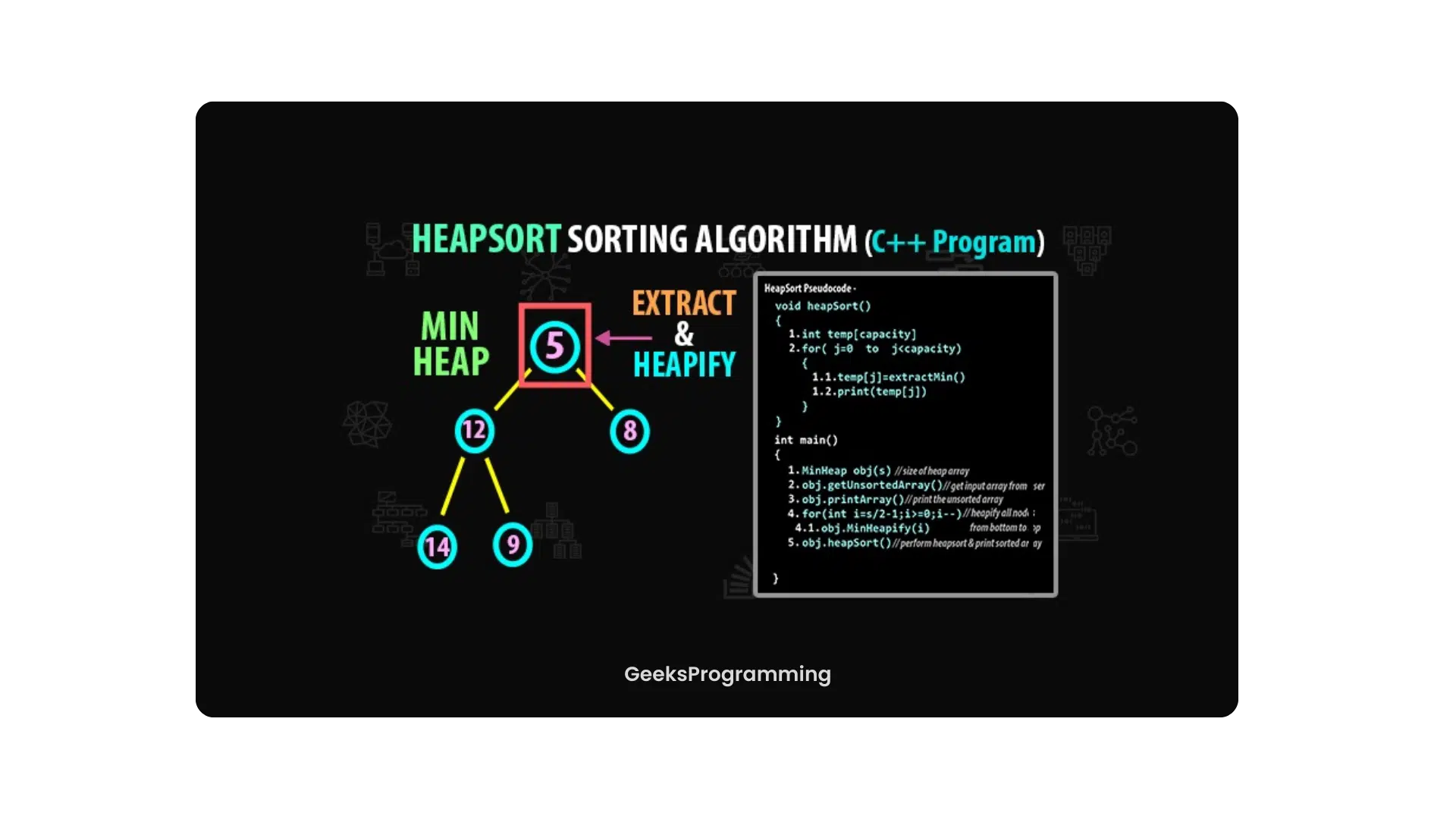
C/C++Min Heap and Max Heap in C++
Build min heaps and max heaps in C++ with std::priority_queue and the STL heap algorithms, plus array math, heapify, heap sort, and worked examples.
Sep 19, 2023
-
 C/C++
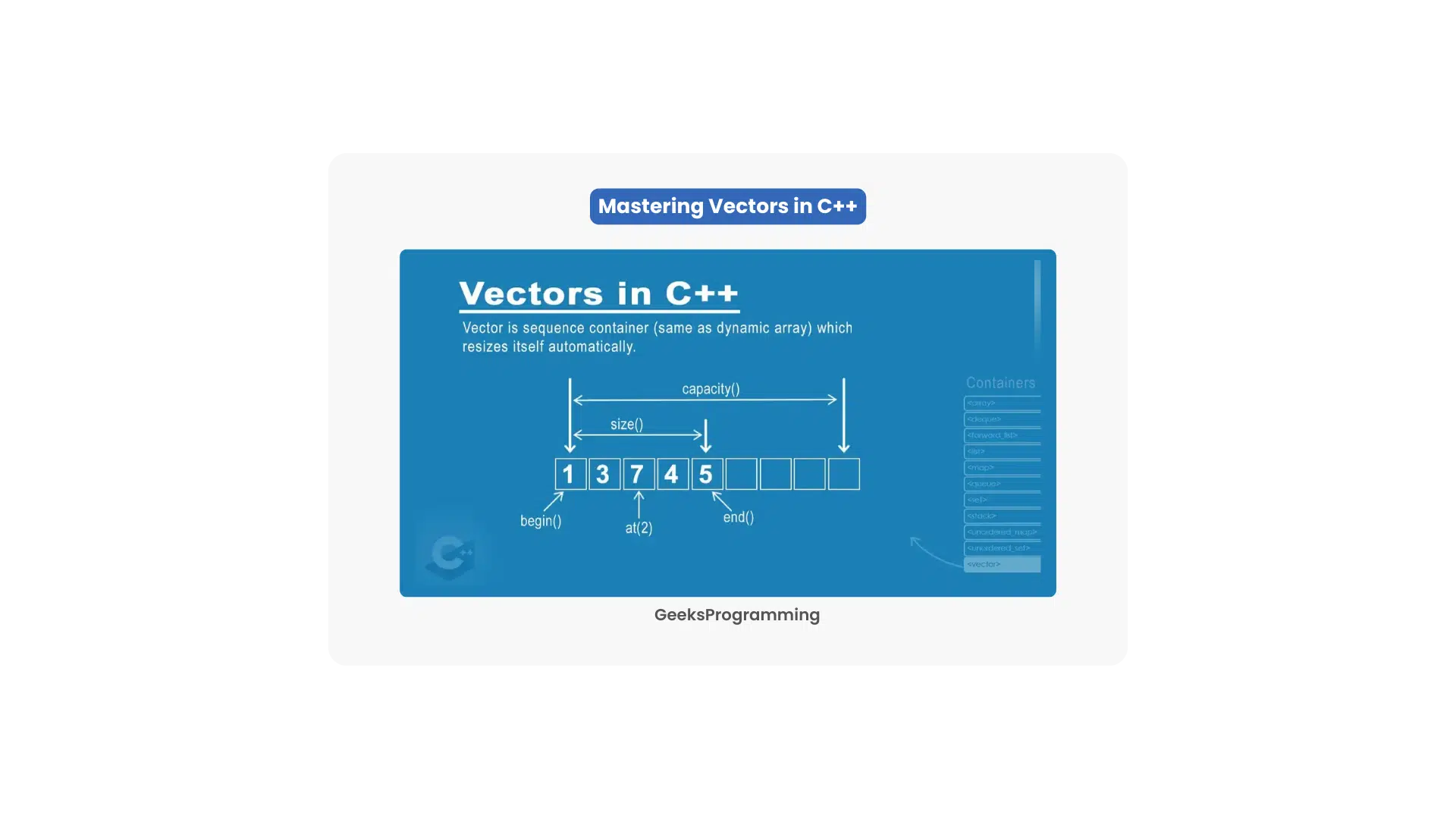
C/C++Vectors in C++: A Complete Guide
Master std::vector in C++: declaration, push_back and emplace_back, iterators, size vs capacity, 2D vectors, and complexity, with code that compiles.
Aug 7, 2023
-
 C/C++
C/C++C++ stoi(): Convert a String to an int
How std::stoi converts a string to an int in C++, with syntax, the idx and base parameters, exception handling, and the stof, stol, and from_chars alternatives.
Mar 3, 2023